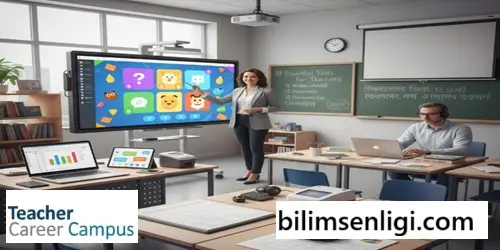
These valuable tools, ranging from traditional to digital, can support you across a wide spectrum to make your teaching career more effective:
- Traditional and Digital Boards:
- Blackboard/Whiteboard: Traditional tools used for writing down important points or giving examples. Whiteboards offer a cleaner alternative with dry-erase markers.
- Digital Whiteboard/Smart Screens: These digital screens, which may have touch features, expand your presentation capabilities, allowing you to project images, videos, and other multimedia components to the class. They can be controlled via a computer or smart device.
- Computer and Tablet:
- Computer/Laptop: The primary tool for various tasks, from administrative work to creating course materials. It allows for preparing presentations and controlling digital screens.
- Tablet: A portable digital device that enables the use of applications. It offers the advantages of many digital teaching tools in a compact format.
- Presentation and Visualization Tools:
- Projector: Connects to a computer or tablet to project images, pictures, and videos onto a wall or screen. It enriches lessons with visual materials.
- Presentation Software: Allows you to create slides to be projected or displayed on a digital screen. It makes lessons more engaging and informative by allowing the addition of multimedia.
- Grading and Management Software:
- Grading Software: Used for managing student grades, setting grading scales, and adjusting weights. It allows students and parents to view grades, helping all parties stay informed about progress.
- Spreadsheet Program: Used for creating datasets, tables, graphs, and charts. Teachers who do not have access to dedicated grading software can use it to create their own gradebook.
- Assessment and Exam Tools:
- Quiz/Exam Generator: Facilitates the process of designing and administering quizzes or tests to students. It helps efficiently manage both paper-based and digital assignments.
- Test Scanner (Test Scan): Speeds up the grading process by automatically and quickly evaluating the results of tests, especially multiple-choice exams.
- Communication Applications:
- Messaging Applications: Used for staying in touch with students and parents both during and after school hours. They are useful for individual performance discussions or sending group announcements.
- Time Management and Planning:
- Online Scheduling Applications: Used to create a course schedule that can be followed by the teacher, students, and parents. It clarifies student responsibilities by listing important events and expectations.
- Educational Games:
- Educational software that uses game mechanics to reinforce lesson content, making learning fun. It can increase student engagement and help information be recalled more easily.
- Calculator:
- Used to quickly and accurately complete simple operations like addition, subtraction, multiplication, and division, or more complex calculations (graphing calculator). It can be a physical device or a digital application.
- Remote Learning and Live Class Tools:
- Video Conferencing Applications: Used for conducting live classes, communicating with students, and sharing screens in a remote learning environment.
- Video Tutorials:
- Offers lessons or explanations to students in a practical and visual video format. It can be used to enrich in-class instruction or to help students with homework and exam preparation.
- Virtual Classroom Environments:
- Comprehensive environments specifically designed for managing remote lessons. They integrate many remote teaching tools, such as video conferencing, scheduling, and online notebooks, into a single platform.